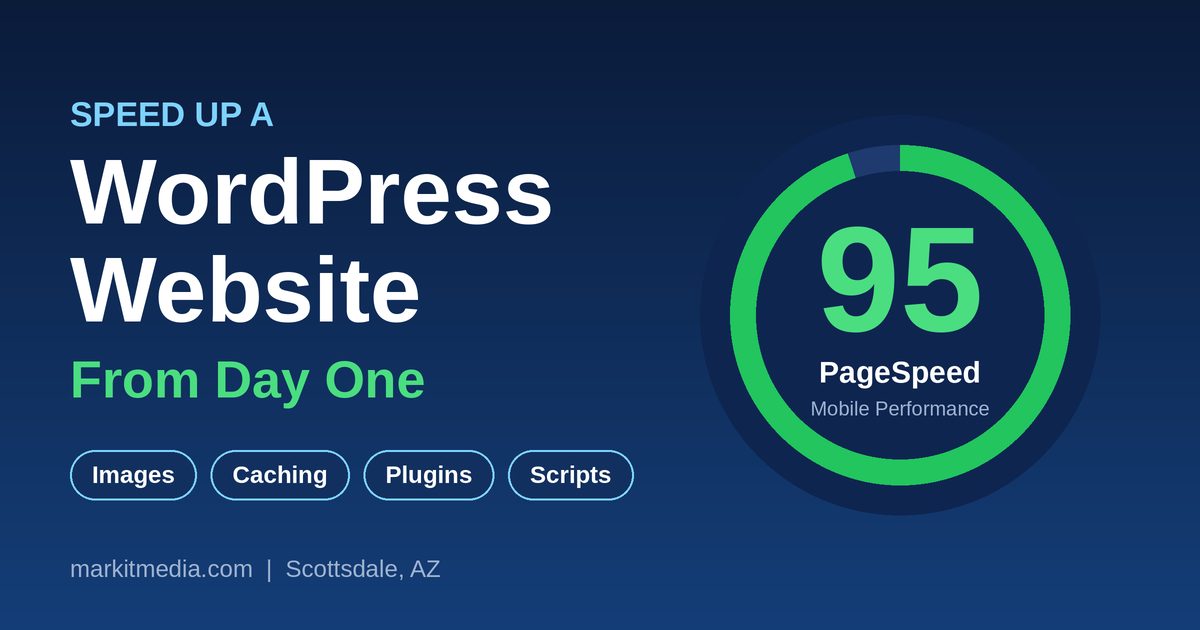
You can speed up a WordPress website from day one by controlling four things before launch: image size, plugin count, third-party scripts, and page caching. Fix those at the start and a new site can score 90+ on Google PageSpeed without any expensive tools. Fix them after launch and you spend hours chasing problems that never needed to exist. One Scottsdale business website went from a mobile PageSpeed score of 66 to 95 just by resizing oversized images, delaying tracking scripts until a visitor interacted, and turning on page caching, and the same changes cut its server load dramatically. Below is the checklist for getting those results from day one.
Why does website speed matter for a small business?
Speed affects three things you care about: whether visitors stay, whether Google ranks you, and whether your hosting plan survives a busy day. A slow page loses visitors before they read a word. Google measures speed through Core Web Vitals and uses it as a ranking signal. And on shared hosting, a heavy site can use up your CPU allowance and slow down every site on the plan.
How big should website images be?
Images are the biggest single win. Resize each image to the size it will actually display, at most twice that width for sharp screens. A photo shown 640 pixels wide needs to be about 1,280 pixels wide, not 4,000.
- Use JPG for photos and WebP where your setup supports it. Save PNG for logos and graphics that need transparency.
- Aim for under 100 KB per image and under 200 KB for the main hero image.
- Name the file and write alt text at upload, so you never have to come back for it.
- Do not scale or edit an image after placing it without re-selecting it in the editor. WordPress creates a new file, and the page can keep pointing at the old one, which breaks responsive sizing and lazy loading.
In one recent project, converting five oversized PNGs to JPGs brought each one down to roughly 70 KB.
Should you lazy-load every image?
Lazy-load everything below the first screen, but not the hero image. Lazy loading tells the browser to wait on images the visitor has not scrolled to yet. The hero image is the opposite: it is usually the largest thing on screen, so it should load first. Preload it so the browser fetches it right away.
How many plugins is too many?
There is no magic number, but every active plugin can add CSS, JavaScript, and database queries to every page. Install only what you will use, delete what you do not, and check what each new plugin adds. For a full cleanup of an existing site, follow our WordPress SEO cleanup checklist. Be especially careful with sliders, popup builders, and animation libraries on the home page. If a feature does not help a visitor take action, leave it out.
How do tracking scripts slow a website down?
Scripts like the Meta (Facebook) pixel, heatmaps, and chat widgets run on the visitor’s device and compete with your page for loading time. The fix is not to remove them but to delay them. Load them after the visitor scrolls, taps, or clicks, with a short timer as a backup. Your page paints first, and the tracking starts a moment later. If you use a consent tool such as Complianz, it can also hold analytics back until the right moment.
What is page caching and do you need it?
Page caching saves a finished copy of each page so WordPress does not rebuild it for every visitor. It is the single biggest thing you can do for server load. On one shared hosting plan, caching plus blocking junk bot traffic took CPU use from about 99% down to about 20%. A plugin such as WP Super Cache handles it with little setup.
How should you handle fonts and CSS?
Use one or two font families and only the weights you need, or use system fonts. Turn on CSS minify and merge so the browser downloads one small stylesheet instead of ten. That single combined file is the one render-blocking resource worth keeping.
Does less content on the home page make a site faster?
Not by itself. Weight matters more than word count. A home page with six or seven sections can still score in the 90s if the images are small and lazy-loaded. What does slow a page down is auto-playing video, large background videos, and embeds like maps or YouTube loading on page load. Use a click-to-load image for those instead. Keep the first screen simple: one headline, one image, one button.
How often should you test your website speed?
Test early and often. Run Google PageSpeed Insights on the blank theme before you add anything. Then run it again after each major addition: a plugin, a new section, or a tracking script. When a score drops, you will know exactly what caused it.
Need a fast website built right?
Markit Media builds and optimizes WordPress websites for Scottsdale and Arizona businesses, with speed and search visibility planned in from the start. If your site is slow or you are planning a new one, contact us and we will take a look.
Frequently Asked Questions About WordPress Website Speed
What is a good PageSpeed score?
A mobile score of 90 or higher is considered good. Mobile scores are always lower than desktop because the test simulates a slower phone and connection.
Why is my mobile score lower than my desktop score?
Google tests mobile on a throttled connection and a mid-range phone. The same page that loads in a second on desktop can take several seconds under those conditions.
Do I need a paid plugin to speed up WordPress?
Usually not. Free tools cover page caching, CSS minifying, and image optimization. Good habits, like sizing images before upload, matter more than any paid tool.
Will a faster website improve my Google ranking?
Speed is one ranking signal among many. It will not replace good content, but a slow site can hold back a page that would otherwise rank well, and faster pages keep more visitors.
Can I fix a slow site that is already live?
Yes. Start with the largest images, then add caching, then delay tracking scripts. Those three changes make the biggest difference on most sites. For a step-by-step audit of a live site, use our WordPress SEO cleanup checklist.
Does my hosting plan matter?
It does. On shared hosting, one heavy site can use up the CPU for everything on the plan. Caching and blocking bad bot traffic reduce that load a lot before you need to upgrade.
How long does it take to speed up a WordPress site?
A focused cleanup of images, caching, and scripts can often be done in an afternoon. Starting right on a new build costs almost nothing extra.